
Customise your AI coach
Choose from preset personalities or fine-tune every setting yourself: coaching style, tone, response length, detail level, challenge, and data focus.
Your AI coach can adapt its communication style, response length, technical depth, and approach to match your preferences. Choose from ready-made coach personalities or create your own custom configuration.
The whole flow is four taps. Here's the path.
How to customise
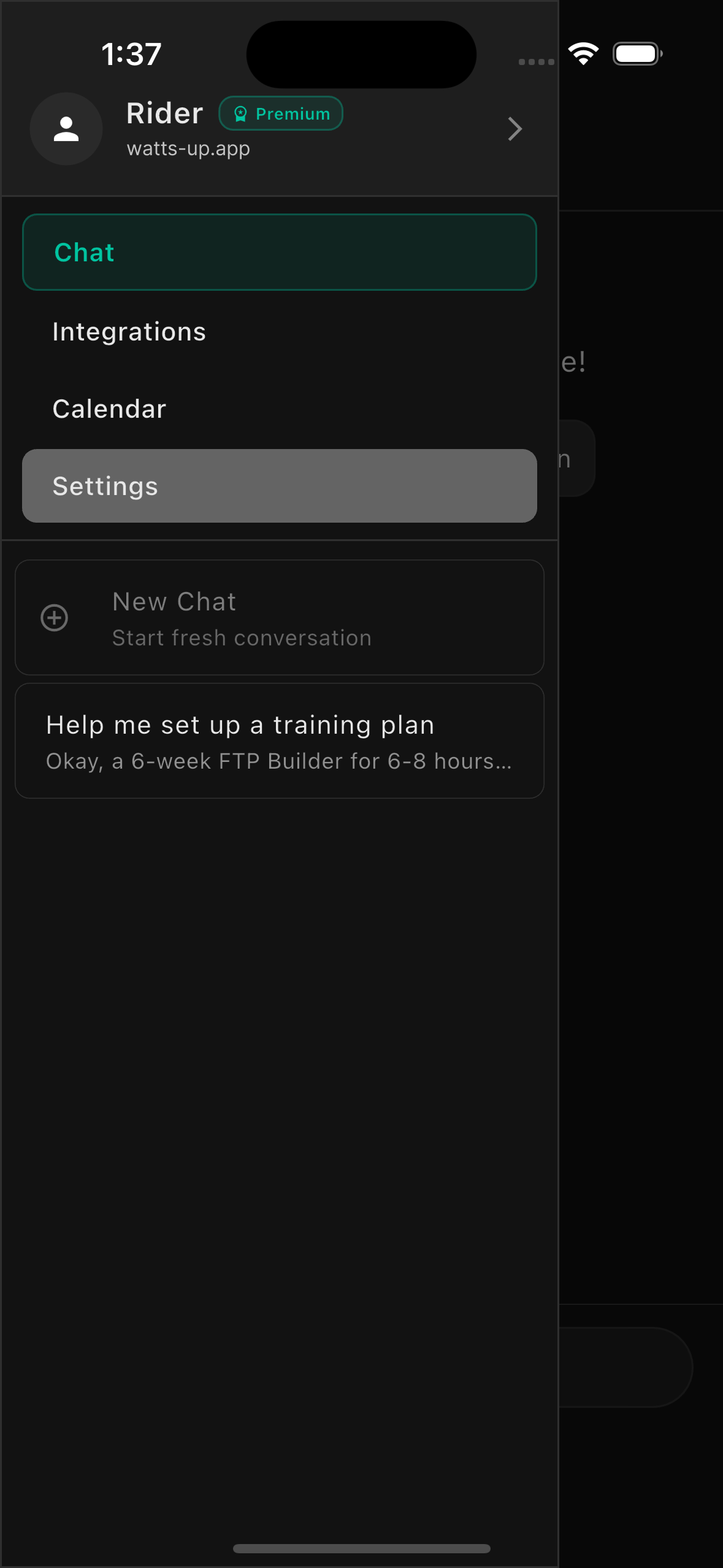
Go to Settings
Open the WattsUp app and navigate to Settings from the side menu.
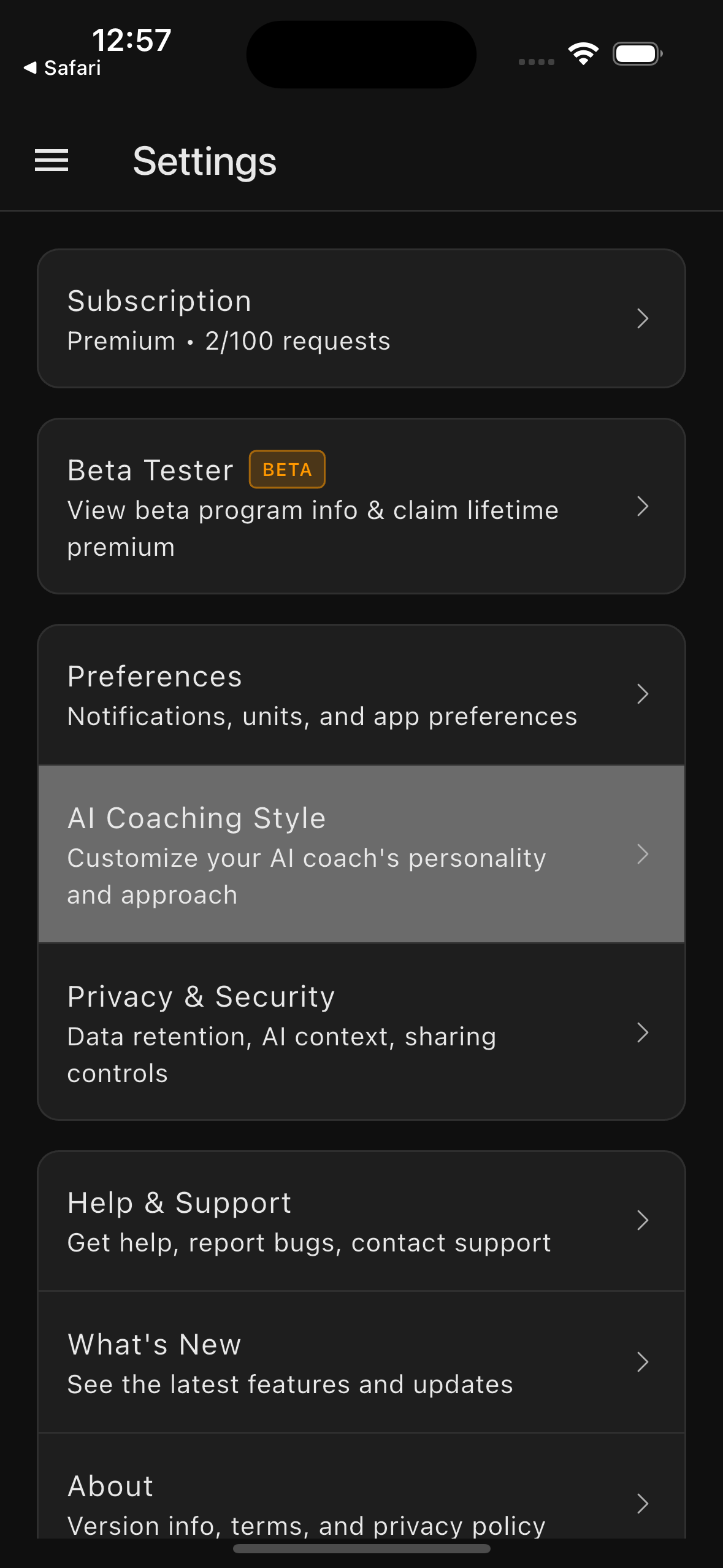
Open AI Coaching Style
Tap on 'AI Coaching Style' to access coaching customisation options.
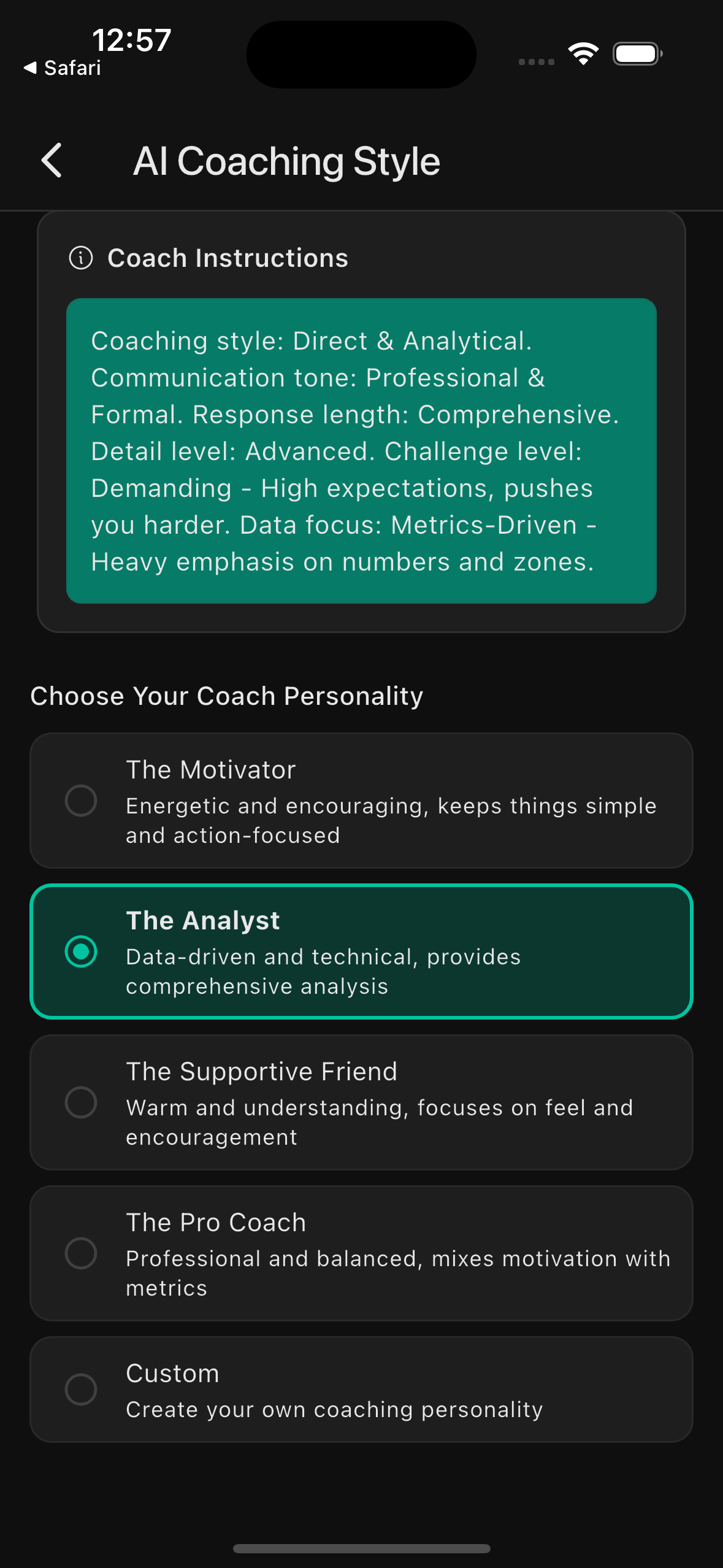
Choose a Coach Personality
Select from preset personalities (The Motivator, The Analyst, The Supportive Friend, The Pro Coach) or choose Custom to fine-tune every setting.
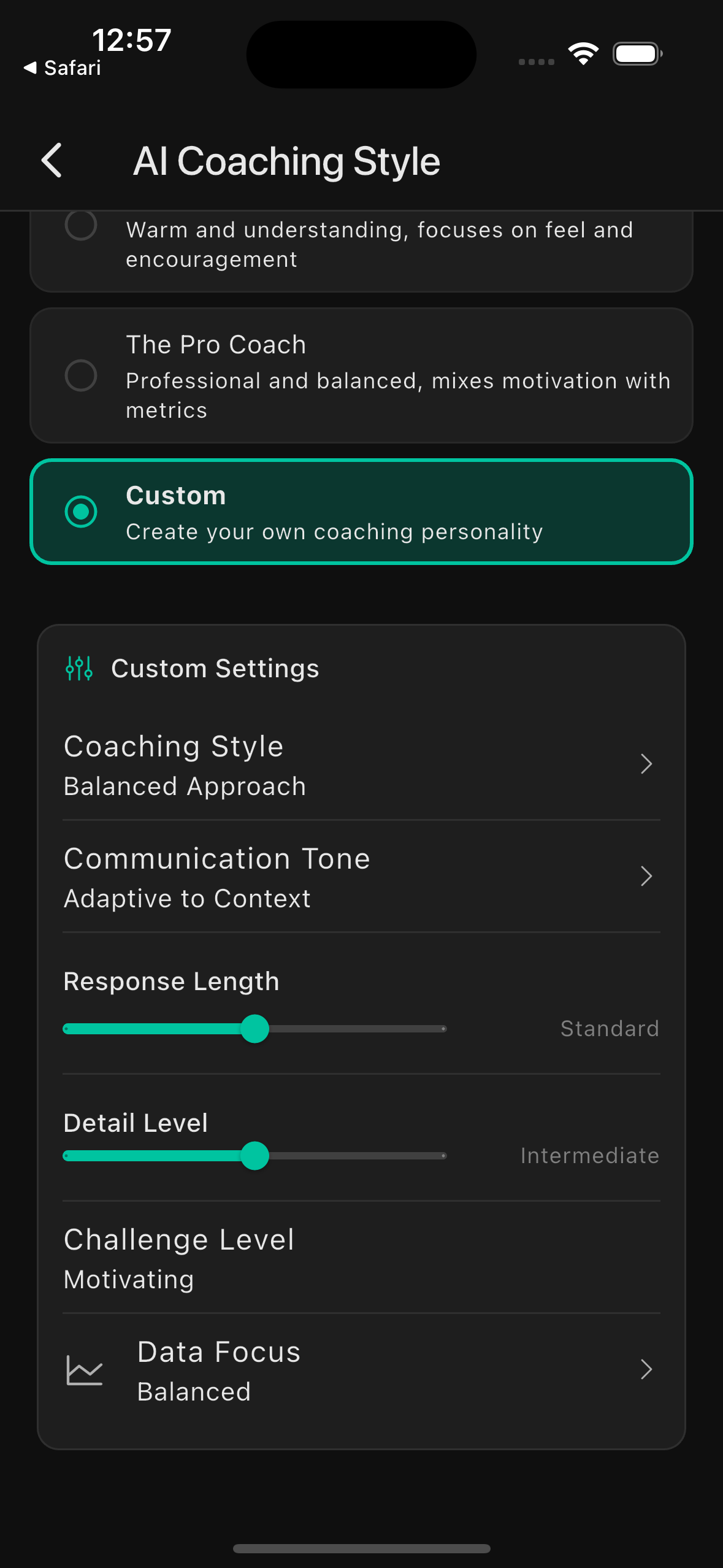
Customise settings (optional)
If you selected Custom, adjust individual settings like response length, detail level, challenge level, and data focus using sliders and pickers.
Coach personalities
Pick the one that fits your week. Switch any time; changes take effect immediately.
— The Motivator
Energetic and encouraging, keeps things simple and action-focused. Perfect for riders who want quick, motivating feedback.
— The Analyst
Data-driven and technical, provides comprehensive analysis. Ideal for riders who love metrics and detailed breakdowns.
— The Supportive Friend
Warm and understanding, focuses on how you feel and encourages consistency. Great for riders prioritising enjoyment and sustainability.
— The Pro Coach
Professional and balanced, mixes motivation with metrics. Best for serious riders seeking structured, evidence-based training.
— Custom
Create your own coaching personality by adjusting individual settings. Perfect for riders who know exactly what they want.
Custom settings
Choose Custom and each of these becomes yours to tune.
Coaching Style
How your coach frames feedback: warm encouragement, balanced approach, or straight to the point.
Communication Tone
Casual and conversational at one end, formal and structured at the other.
Response Length
Quick actionable answers, balanced explanations, or in-depth responses with full context.
Detail Level
Everyday language at one end, full technical terminology (FTP, TSS, CTL, ERG) at the other.
Challenge Level
Gentle encouragement and recovery focus, balanced push, or high expectations that push you harder.
Data Focus
RPE and subjective feel on one end, heavy emphasis on watts, zones, and numbers on the other.
Customisation tips
Changes take effect immediately: your next chat message will use the new settings.
Start with a preset personality and switch to Custom if you want to adjust specific settings.
Try different styles for different phases of training (e.g. Supportive during recovery weeks).
The Coach Instructions preview shows exactly what instructions are sent to your AI coach.
You can change your settings anytime. Experiment to find what works best for you.
Write to us.
Real humans in Melbourne. Replies within 24 hours, even on weekends.
Contact support