
Your data
Delete your data
You can delete your data or account directly from the WattsUp mobile app. Follow the instructions below for your desired action.
Deleting your data will remove all your ride activities, conversation history, and cached data while keeping your account active.
Important
This action cannot be undone. Your ride data and conversation history will be permanently deleted.
1
Open your Profile
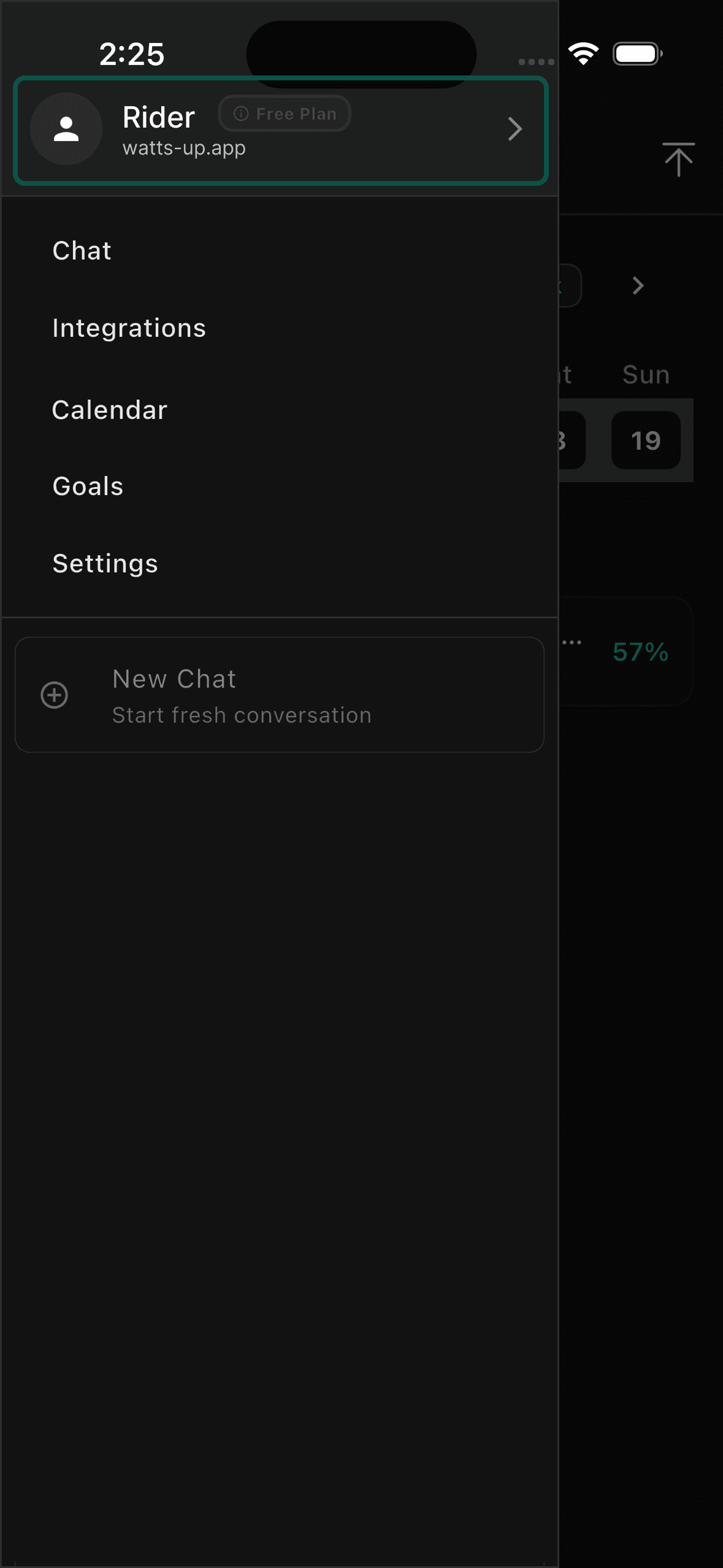
Tap the menu icon to open the navigation drawer, then tap your profile card at the top.
2
Find the Account section
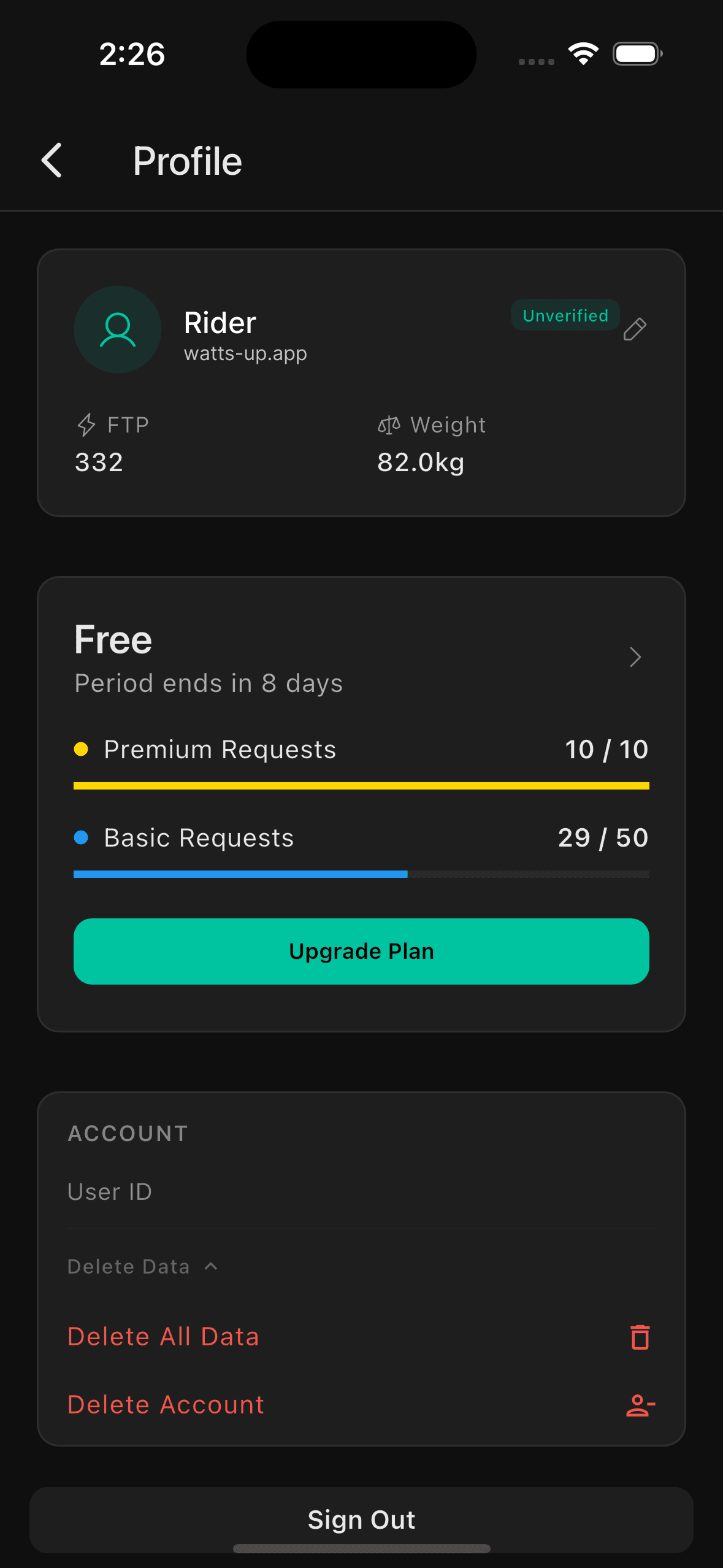
Scroll down to the Account section on your Profile page and tap the Delete Data dropdown to expand it.
3
Tap Delete All Data
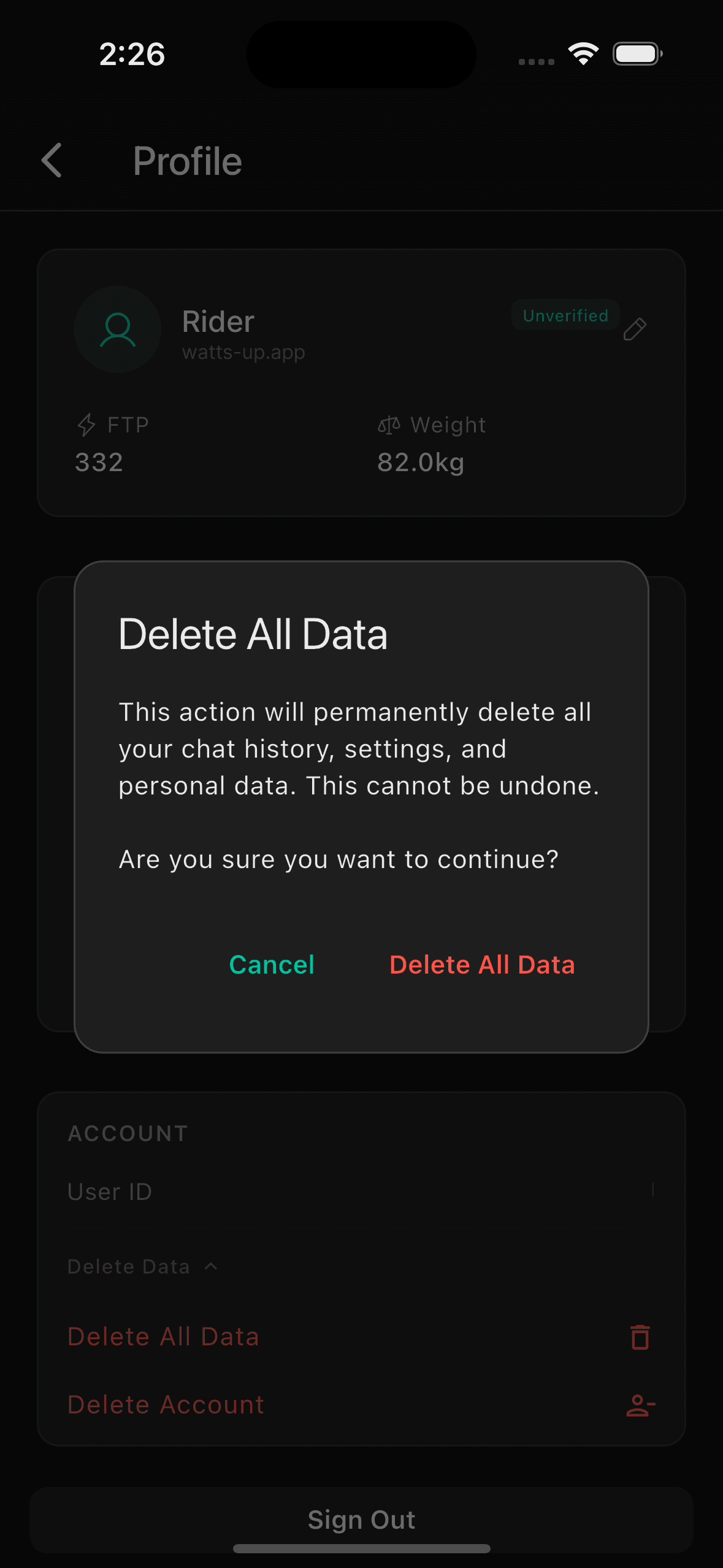
Select Delete All Data and confirm when prompted. Your account remains active, only your data is removed.
What Gets Deleted?
- •All ride activities and performance data
- •Conversation history with your AI coach
- •Cached workout suggestions and training plans
- •Connected device data (Wahoo, Garmin)
What Remains?
- •Your account and login credentials
- •Your subscription status
- •Basic profile information